


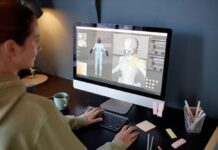





































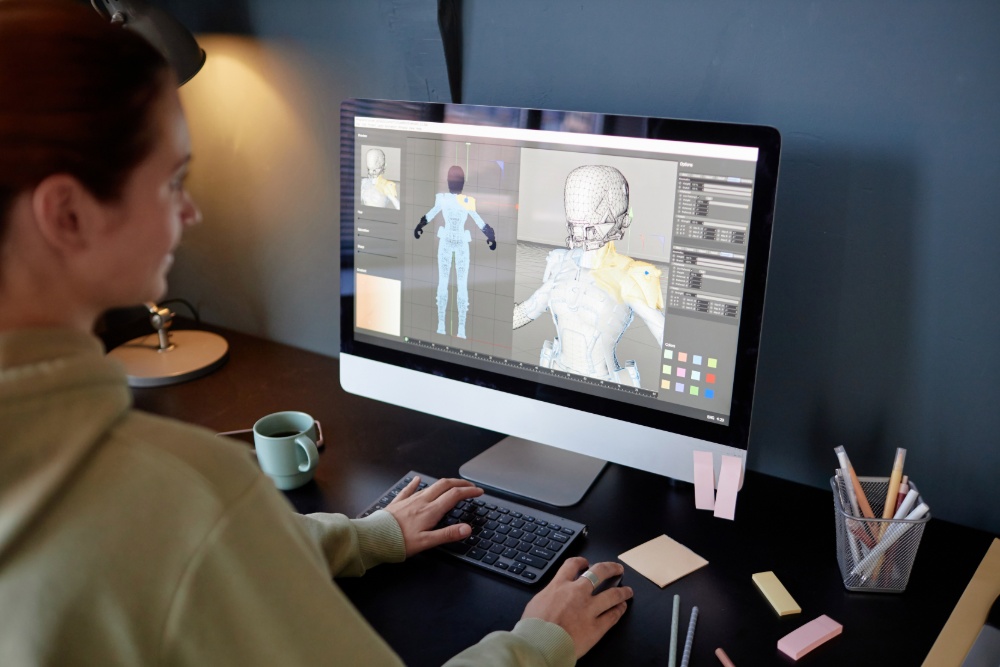
A rough sketch on a notebook. A product photo from a phone. A couple of sentences describing something that doesn’t exist yet. Any of those is now enough to start building a three-dimensional asset. The first stage of 3D work doesn’t have to begin with manually constructing every polygon anymore. You feed in a visual or a description, and the output is a model you review, refine, texture, animate, or export for whatever comes next.
The part that matters most isn’t the generation itself. It’s how many traditionally separate steps now collapse into one workflow. Idea to reference image to geometry to materials to engine-ready asset. Platforms like Meshy bring most of that sequence into a browser, which changes who gets to do 3D work and how fast the early stages move.
What Is AI 3D Model Generation?
Machine-learning systems take text prompts or images and turn them into three-dimensional geometry. You describe what you need, or you show it a reference. The output is a starting model with shape, proportions, and surface characteristics interpreted from your input.
Two approaches do most of the heavy lifting: text-to-3D and image-to-3D.
Text-to-3D is for when the concept lives in your head but not on paper. A prompt like “a compact futuristic exploration drone with four landing legs” gives the system a description to work from. Image-to-3D fits better when you already have a photograph, sketch, or concept illustration sitting in front of you.
Meshy handles both. Its image-to-3D workflow also accepts multiple views of the same object, up to four images, so the system gets angle information instead of guessing what the back looks like from a single front shot.
Meshy is one of the leading AI 3D model generators.
Speed is part of the value, but it’s not the main thing. What actually saves time is eliminating the repetitive groundwork in prototyping, concept exploration, and early-stage asset production. The creative decisions still belong to you. The polygon wrangling doesn’t have to.
Text-to-3D vs. Image-to-3D: When to Use Which
Text-to-3D for Early Concepts
Use this when you have a clear idea in words but nothing visual to show for it. Explore shapes, proportions, themes, and directions before spending time modelling by hand.
A game designer building a fantasy environment needs decorative objects. Lanterns, statues, crates, architectural details that don’t exist in any reference library. Text prompts kick out initial versions that work as references or rough starting points. Generate five variations. Compare them side by side. Pick a direction. That’s brainstorming with geometry instead of sticky notes.
Image-to-3D for Visual References
Use this when you already know what the thing should look like. A photo, a sketch, a concept painting.
Multiple views make a real difference. Meshy’s multi-image workflow takes several angles of the same object and builds from all of them rather than inventing the unseen sides. Front, side, three-quarter. The more angles the system gets, the fewer surprises in the output. Especially useful for product prototypes, props, character concepts, and anything where the back matters as much as the front.
Beyond Geometry: Texturing and Animation
The mesh is step one. A model also needs surface materials that look convincing, and characters need a skeleton before they move.
AI texturing generates surface materials without requiring you to hand-paint every texture map. A model that looks like untextured grey clay gets a believable appearance in a fraction of the time traditional texturing takes. Not perfect. But good enough to evaluate whether the direction is right before committing to manual refinement.
Auto-rigging solves a different pain point. Setting up a digital skeleton for a character is tedious, technical, and easy to get wrong. AI-assisted rigging handles the initial setup so the character is animation-ready faster.
Meshy rolls texturing, rigging, and animation into the same environment as generation. That’s the shift. These aren’t standalone generators anymore. They’re becoming full early-stage production environments.
Browser-Based Workflows Lower the Barrier
Traditional 3D production starts with installing heavy software, managing plugins, configuring GPU settings, and learning an interface built for specialists. Browser-based tools skip all of that.
Meshy runs in the browser. No install. No hardware configuration. That doesn’t retire professional 3D software. It changes when you reach for it. The browser handles the first model. Dedicated applications handle the sculpting, animation, optimisation, and scene work that need fine control.
For someone testing an idea, that split saves hours. You find out whether a concept has legs before opening a heavyweight application.
Where AI-Generated 3D Models Get Used
Game Development
Game teams burn through environmental assets and character variations. Generation produces early concepts and prototypes that designers optimise for a specific engine. FBX, OBJ, GLB. Meshy exports these alongside several other formats, which keeps the handoff to game tools clean.
3D Printing
Describe a miniature. Generate a model. Check the geometry. Export an STL for a slicer. Straightforward in theory. In practice, generation doesn’t produce print-ready files automatically. Wall thickness, unsupported overhangs, intersecting faces, scale, orientation. All of that needs a human eye before anything hits a build plate. The generation gets you started. The cleanup is still on you.
Product and Industrial Concepts
A rough idea becomes a 3D prototype that communicates shape and proportions to a client or a team faster than any flat sketch. Useful in the gap between “I have an idea” and “let’s commit to full CAD work.”
Education and Experimentation
Students learn spatial design and digital fabrication faster when they’re working with actual 3D objects instead of reading about them. Teachers demonstrate concepts that flat images struggle to convey.
A Simple AI 3D Workflow
- Define the concept: Is the idea easier to communicate with words, one image, or several images? Start there.
- Verify the geometry. Try and find proportions, missing areas, weird surfaces and extra detail that shouldn’t be there.
- Make it nice: AI texturing or manual material tweaking First, clear the surface.
- Prepare the asset: Remesh, optimise, rig, or modify based on where the model is going.
- Export the right format: Game engine, 3D printer, web viewer, editing application. Each needs a different format.
For anyone exploring these AI 3D model generation workflows, Meshy provides a browser-based environment where generation, texturing, rigging, and export happen in the same place.
Free Access and Supporting Tools
There’s a free tier with complimentary credits, so you test the AI 3D model generation workflows before paying for anything. Worth doing before committing to a plan.
A free browser-based tool suite comes alongside the generator: file converter, online viewer, STL repair. These handle the unglamorous work that follows generation. A model might need inspecting, converting between formats, or repairing geometry issues before it’s usable downstream. Having those utilities next to the generator instead of scattered across different websites saves real time.
Developer API Access
Not every asset needs to be generated by hand through a browser interface. Developers connect generation directly to their own applications through an API.
Meshy’s API covers text-to-3D, image-to-3D, multi-image-to-3D, texturing, rigging, animation, and image generation. Batch production, custom tools, internal pipelines, automated workflows. All of it becomes possible once AI 3D model generation is programmable instead of manual.
Picture a game-development pipeline that sends structured prompts to an API, receives models back, and routes them through processing automatically. One person clicking “generate” for every asset doesn’t scale. An API endpoint does.
FAQ: Understanding AI 3D Generation
Is AI 3D Generation Replacing Traditional 3D Modelling?
No. It’s an additional production method that handles the initial pass. Professional artists still correct topology, refine shapes, optimise for engines, and push artistic direction. The generation gets a model into existence. The artist makes it right.
Is Image-to-3D Better than Text-to-3D?
Depends on what you’re starting with. Have a description but no artwork? Text-to-3D. Have a photo or sketch you want turned into geometry? Image-to-3D. Neither is universally better. They solve different problems.
What File Formats Do AI-Generated Models Use?
STL, OBJ, GLB, FBX are standard. Meshy also supports USDZ, BLEND, and 3MF depending on the export path.
Do AI-generated Models Work for 3D Printing?
Yes, with a caveat. Inspect before printing. Geometry that renders fine on screen sometimes has thin walls, unsupported sections, or intersecting faces that cause print failures. The slicer will usually flag the worst issues, but a manual check catches what automated tools miss.
Where AI-Assisted 3D Creation is Heading
The bigger shift isn’t one-prompt model generation. It’s the collapsing of idea, model, texture, animation, conversion, and deployment into workflows accessible through a browser and an API.
Creators spend more time on what to build and less on the mechanical setup that used to eat the first hours of every project. The generation handles the starting point. The person handles everything that needs taste, judgment, and intent.
Find a Home-Based Business to Start-Up >>> Hundreds of Business Listings.