



































QR code marketing for small business works best when it connects a real-world customer moment with one clear digital action. A business card, package, flyer, sign, or receipt can do more than display information. With a planned dynamic QR code, it can direct customers to a booking page, product guide, review form, special offer, or support resource while giving the business useful campaign data.
Many companies already use QR codes, but they often place the same code on every printed item and send every visitor to the homepage. That approach is convenient, yet it makes performance difficult to measure.
A stronger strategy is to treat each printed item as a separate campaign with its own purpose, call to action, destination, and success metric.
Key Takeaways
- Give each printed placement its own QR code.
- Match the destination to the customer’s immediate need.
- Use a clear call to action that explains why someone should scan.
- Measure bookings, purchases, reviews, or signups—not scans alone.
- Use dynamic QR codes when a destination may need to change after printing.
- Start with one controlled test before expanding to every touchpoint.
Why QR Code Marketing for Small Business Works With Print
Even digital-first businesses use physical materials. Business cards, shipping boxes, thank-you notes, invoices, signs, brochures, and printed instructions all create moments when customers are paying attention.
Traditional print, however, is difficult to measure. A flyer may generate interest, but the owner may not know whether a new customer discovered the business through that flyer. A package insert may encourage repeat purchases, but the company may not know which version of the message performed best.
A QR code creates a fast bridge between the printed item and a digital destination. Using a dynamic QR code generator with scan analytics adds flexibility because the destination can be updated later without changing the printed QR pattern.
QR code marketing technology is useful for small businesses only when it makes the next step easier for the customer. The goal is not to place a QR code on every available surface. The goal is to connect the right physical moment with the right digital action.
1. Business Cards
A business card can become more than a list of contact details. Its QR code might open:
- A booking calendar
- A professional portfolio
- A digital contact card
- A consultation form
- A product catalog
- A customer review profile
The call to action should explain the benefit. “Scan to book a consultation” is more persuasive than a vague instruction such as “Scan me.”
Use a separate code for business cards rather than reusing the code from a flyer or storefront sign. This helps identify whether networking events, personal recommendations, and face-to-face conversations generate inquiries, appointments, or sales.
For a service business, the primary metric may be completed appointments. For a consultant, it may be submitted inquiry forms. For a local retailer, it may be visits to a featured product collection or completed loyalty signups.
The destination should also be mobile-friendly. The customer is already holding a phone, so the next step should be fast, clear, and easy to complete.
2. Product Packaging
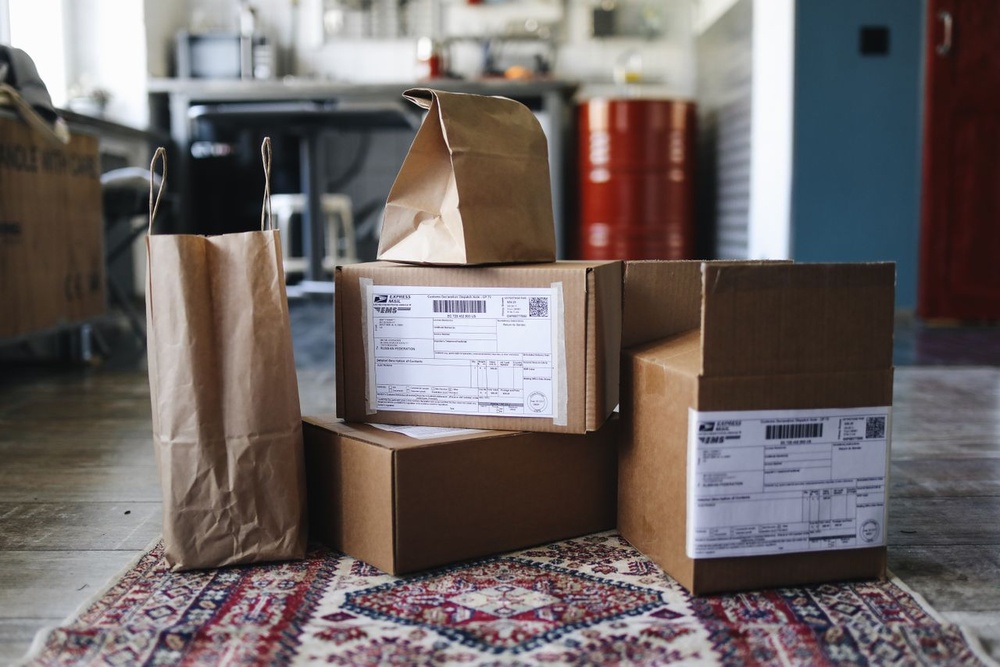
Packaging reaches a confirmed customer at a high-attention moment. A QR code can provide information that does not fit comfortably on the box or label, including:
- Setup and care instructions
- Ingredient or material details
- Authenticity information
- Product demonstration videos
- Warranty registration
- Reorder options
- Complementary products
The destination should support the customer after the purchase instead of simply repeating the original sales page. Someone who already owns the product may need instructions, troubleshooting information, or a fast reorder path.
Packaging can remain in circulation for months. A dynamic QR code allows the small business to correct a broken link, replace outdated instructions, or change the marketing campaign destination without reprinting the existing inventory.
For example, a candle maker might initially direct customers to care instructions. Later, the same printed code could lead to a seasonal refill collection. A skincare brand could replace an outdated tutorial with a new routine without changing the package.
3. Flyers, Postcards, and Direct Mail
Printed promotions can reach local customers, previous buyers, or a carefully selected neighborhood. Separate QR codes can be assigned to different:
- Geographic areas
- Customer segments
- Promotional offers
- Creative designs
- Distribution dates
For example, a home cleaning business could send one postcard to new homeowners and another to existing customers. Each version should have its own code so the business can compare quote requests and completed bookings.
The landing page should continue the message from the printed piece. If a postcard promotes a seasonal package, the QR code should open that specific package—not a general services homepage.
A useful campaign name might identify both the audience and the placement:
spring-postcard-new-homeowners
Clear internal names make campaign reports easier to understand several months later.
Scan volume is only the beginning. The business should also measure form submissions, phone-call clicks, completed purchases, and revenue.
4. Receipts, Invoices, and Thank-You Cards
A completed transaction creates an opportunity to encourage the next customer action.
A QR code might invite customers to:
- Leave a review
- Join a loyalty program
- Refer a friend
- Reorder a product
- Book the next appointment
- Contact customer support
Choose one primary action per placement. A receipt crowded with multiple codes and competing offers can create confusion.
Timing matters as well. A review request should appear when the customer has had enough time to evaluate the product or service. A reorder prompt should arrive when the item is likely to run low.
A service provider might place “Scan to book your next appointment” on an invoice. A product business might use “Scan to reorder in seconds” on a thank-you card.
Both campaigns are easier to evaluate when they use unique QR codes rather than one general website link.
5. Window Signs and Storefront Displays
Window signs can serve customers when the business is closed, employees are busy, or a passerby is not ready to enter.
A storefront QR code can open:
- Business hours
- A booking calendar
- A restaurant menu
- Current product inventory
- A property listing
- A class schedule
- Directions or parking information
The destination should be designed for a person standing outside and using a phone. Keep it fast, focused, and easy to understand.
The printed message should also be specific. “Scan to see today’s availability” or “Scan for an instant estimate” gives the customer a clear reason to act.
Different storefronts, partner locations, and event displays should use different QR codes. This lets the owner compare engagement by location.
A salon may discover that one window display generates more bookings than another. A real estate professional may see which property sign receives the most interest. A restaurant may compare scans during lunch and evening hours.
6. Event Materials
Markets, trade shows, workshops, conferences, and pop-up events create several physical touchpoints. These may include banners, handouts, badges, samples, and product displays.
Instead of placing one general QR code on everything, give each placement a specific role:
- Entrance banner: Event offer
- Product display: Detailed product page
- Staff badge: Contact or booking page
- Workshop handout: Downloadable guide
- Sample package: Follow-up purchase page
This structure shows which part of the event produced the strongest response. It also lets visitors continue the relationship after leaving the venue.
Not every visitor will purchase immediately. Useful event metrics may include:
- Email signups
- Consultation requests
- Saved promotional offers
- Product page visits
- Purchases completed after the event
A QR code can preserve the connection after a short face-to-face interaction ends.
7. Instruction, Warranty, and Support Cards
Support materials are often overlooked as customer-retention tools. Their main purpose is to solve a problem, but a smooth support experience can also build trust and encourage customers to purchase again.
A QR code can lead directly to:
- Installation instructions
- Troubleshooting steps
- Warranty registration
- Replacement parts
- Return requests
- Customer support
Avoid sending customers to a general help center when a more specific page is available. Every unnecessary step creates friction.
Dynamic destinations are especially useful for support content because instructions, files, and service systems may change while printed cards remain in customers’ homes.
A business can update an old instruction page, replace a PDF, or move customers to a new support form without reprinting every product insert.
How to Build a Trackable QR Campaign
The strongest QR code marketing campaigns for small businesses are planned before the code is printed.
Define One Customer Action
Decide what the scanner should do next:
- Book
- Buy
- Register
- Review
- Download
- Request a quote
A single clear action makes the campaign easier for customers to understand and easier for the business to measure.
Create a Unique Code for Each Placement
Do not use the same trackable code on business cards, packaging, events, storefront signs, and invoices.
Unique codes reveal which touchpoints deserve more investment.
Use clear internal campaign names such as:
business-card-consultation
package-insert-reorder
storefront-booking
spring-postcard-offer
Clear names become increasingly important as the number of campaigns grows.
Use a Mobile-First Destination
The scanner is already using a phone. The destination should load quickly, explain the offer immediately, and make the main action easy to complete.
Before printing, test:
- Forms
- Buttons
- Checkout
- Images
- Navigation
- Page speed
Test the experience on more than one phone. A page that looks good on a desktop may still create problems on a smaller screen.
Measure the Full Funnel
A scan is only the first step. Connect it with the business result that matters.
| Campaign Goal | Useful Metrics |
| Book appointments | Scans, page visits, completed bookings |
| Sell products | Scans, add-to-cart rate, purchases, revenue per scan |
| Collect reviews | Scans, review-page visits, completed reviews |
| Build an email list | Scans, form starts, completed signups |
| Reduce support effort | Scans, guide views, support requests |
A campaign with 50 scans and 10 purchases may be more valuable than one with 500 scans and no sales.
The best metric depends on the purpose of the printed item.
Keep the Destination Flexible
Printed materials can outlive websites, products, promotional offers, and software tools. QRLagoon helps businesses update destinations after printing and review scan analytics across their QR campaigns.
That flexibility helps preserve the value of packaging, signs, cards, and other printed materials already in circulation.
Instead of discarding an entire printed batch because a URL changed, the business can redirect the existing code to the correct destination.
Common QR Code Marketing Mistakes
Using a Vague Call to Action
“Scan me” does not explain the benefit.
Use specific language such as:
- Scan to book
- Scan to reorder
- Scan for setup instructions
- Scan to claim the offer
- Scan to leave a review
Sending Every Scan to the Homepage
The destination should match the printed promise. A customer should not need to search for the relevant information after scanning.
Printing Before Testing
Test the final design at its actual printed size and on the real material.
Glare, folds, curved packaging, low contrast, and poor print quality can all affect scanning.
Measuring Only Scan Count
Scans indicate attention. They do not prove that the campaign generated customers, bookings, or revenue.
Adding Too Many Codes
One printed item should usually have one primary QR code and one primary action. Too many choices reduce clarity.
A Simple 30-Day QR Campaign Test
Start with one frequently used printed item, such as a business card, package insert, flyer, or invoice.
Create two versions with different calls to action while keeping the offer and destination consistent.
For example:
- Version A: “Scan to shop again”
- Version B: “Scan to reorder your favorites”
Run the test for 30 days and compare:
- Number of scans
- Conversion rate
- Revenue or leads
- Cost per result
- Customer questions
Choose the stronger version, improve the destination, and then expand the system to another printed touchpoint.
This approach limits risk and produces useful evidence before the business spends money redesigning every printed asset.
Final Thoughts
QR code marketing for small businesses is most effective when it makes an existing customer interaction easier and measurable.
Business cards can generate bookings. Packaging can improve onboarding and encourage repeat purchases. Direct mail can reveal which audience responds. Receipts can encourage reviews and loyalty. Storefront signs can serve customers outside normal business hours. Support cards can reduce friction after the sale.
The goal is not to place a QR code on every available surface.
Start with one customer moment, one code, one destination, and one business metric. Once that campaign works, build from there.
Frequently Asked Questions
Should a Small Business Use Static or Dynamic QR Codes?
Use a static code when the information is permanent and no analytics are needed. Use a dynamic code when the destination may change or the business needs to compare campaign performance.
How Many QR Codes Does a Small Business Need?
Create a unique code for each placement that must be measured separately. A business card, package insert, event banner, and storefront sign should not share one trackable code.
What Is the Best Page to Link a QR Code To?
The best destination completes the promise made beside the code. It may be a booking form, product page, setup guide, review profile, promotional offer, or support resource—not necessarily the homepage.
Do QR Code Scans Equal Sales?
No. Scans measure initial engagement. Businesses should also track bookings, purchases, reviews, signups, support outcomes, and revenue.
Find a Home-Based Business to Start-Up >>> Hundreds of Business Listings.