








































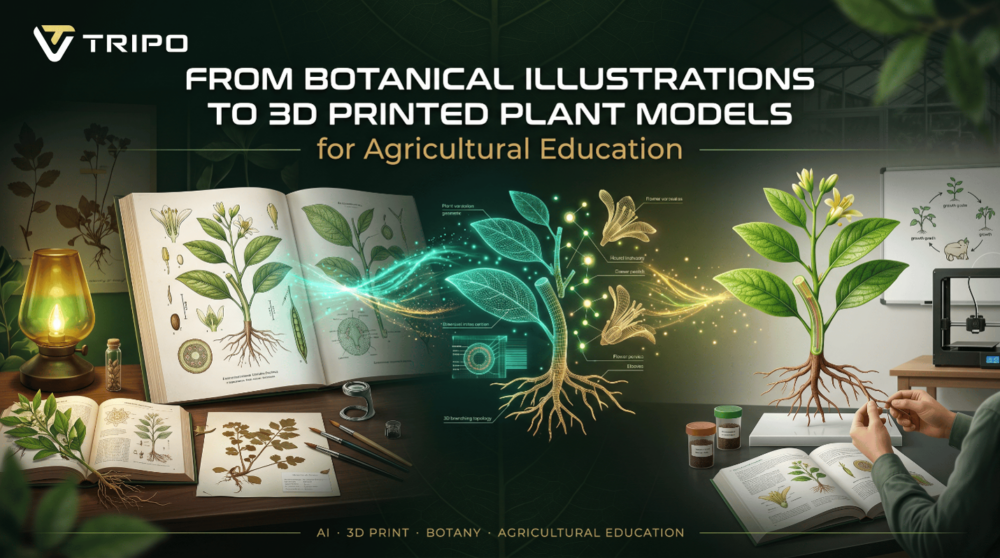
Visual learning is always used in agricultural education. Teachers use pictures to describe plant structure, development, and crop properties, including providing detailed botanical illustrations from textbooks and demonstrating in the field. Students, however, may find it hard to grasp how complex roots, stems, flowers, and leaves are in a flat illustration. This is where Tripo 3D adds a very exciting new strategy.
Pupil teachers can use botanical artwork to make 3D printed models of plants for interactive lessons. With the application of image to 3D technology, a single botanical illustration can be converted to a detailed model that can be used for visualization, exploration and 3D printing. With Tripo 3D, the gap between traditional learning materials and modern hands-on learning is narrowed.
When Old Pictures Are Replaced by New Teaching Materials after Centuries of Use
For centuries, botanical illustrations have been used to record the species of plants with remarkable accuracy. These drawings show aspects of the plant structure and important features that assist the student in recognizing plant structures and understanding biological processes.
Thanks to the Tripo 3D feature, these illustrations can come to life and be used as interactive learning tools. Students can study a real, 3D image of a plant with every angle instead of only a 2D image.
Making Students Aware of What Textbooks Cannot Lead Them to See
There are many structures in plants which cannot be seen from a diagram alone. It can be difficult for learners to understand how the roots can spread under the soil or how the flower parts are connected.
Such relationships can be more clearly shown to educators using digital plant models created with Tripo 3D. Through visual interaction, students can explore details, turn models around and get a deeper understanding of the anatomy of plants.
Improving Agricultural Studies via Intelligent 3D Modeling
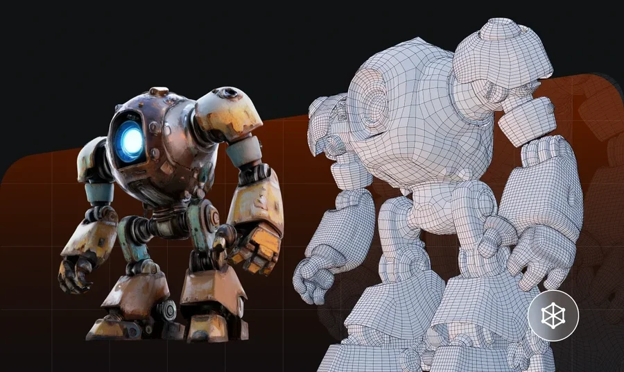
By utilizing 3D AI, botanical drawings can be converted into very intricate computer-generated models of plants, useful for agricultural education and learning. This makes it possible for learners to have an understanding of plant anatomy from any perspective. After creating the required models, they can then undergo processes that will enable them to be suitable for 3D printing.

Seeding the Ideas of Interactive Agricultural Learning
Today’s students are more likely to learn from seeing and doing than learning from hearing. It is easier to remember memorable and engaging lessons when using a model of a flower or looking at root systems or leaf structure.
With Tripo 3D, teachers can design printable teaching materials to facilitate such interaction.
Promoting Extension and Outreach Programs
Agricultural education does not end in school or at the university. Effective teaching materials are also essential to extension programs, workshops, and community training.
These programs can be improved with the use of portable plant models that will give visual information to explain how to grow plants, plant anatomy, and plant development. These resources can be used to make educational content more accessible to a variety of audiences.
Tripo 3D Allows to Go from a Botanical Sketch to a Usable Plant Model for Print in Just a Few Clicks
With Tripo 3D, users will save time going from artwork to printable assets in a few easy steps.
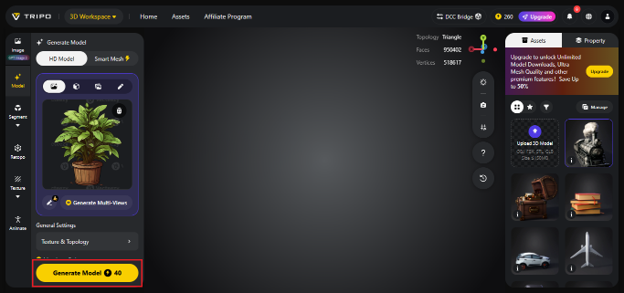
Step 1: Select the Input and Upload
First, open the Tripo AI work space and choose the input method of the choice. If you’re creating botanical illustrations, Image-to-3D might be your best option, since it operates with visual references. Upload the picture in JPG, PNG or WEBP format and set it up for conversion.

Step 2: Configure Settings
Then select the amount of detail and texture resolution to use on the model, based on what you will be using the mesh for within an educational environment. In the case of an educational model requiring high-quality work, go for a high-quality model; otherwise, select a low-resolution option.

Step 3: Generate and Refine
Click generate and let Tripo 3D generate the initial model. After creating the model, refine it using the refinement tools to add more detail, add more texture or isolate parts of the plant model. The advanced features with 3D AI make it easier to create while maintaining the key visual elements from the original illustration.
Step 4: Export
Refine this model and export it as you like. Tripo 3D can import STL, OBJ, FBX, GLB and USD files, allowing models to be effortlessly incorporated into educational software or the fabrication process. The image of STL process is used and efficient for 3D printing and production for institutions preparing physical teaching aids.
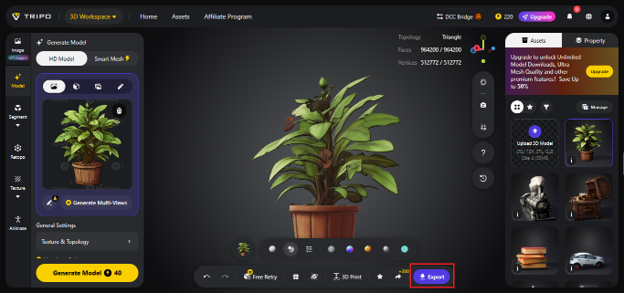
Conversion of Botanical Art into Plant Models for Printing
Botanical illustrations can be rich sources of information about the structural components of plants, but their transformation into 3D-printable models makes that information more understandable. The image to STL process entails converting botanical drawings into 3D files that can be printed as tangible plant models to enhance the learning process for students, particularly in classes involving agriculture.
Promotion of Agricultural Education in the Digital Era
There is an unending quest by agricultural educators to bring innovations that can make the teaching of science easy and interesting. Turning botanic drawings to 3D plant models is one of the viable approaches of achieving that, since it combines tradition and modernity.
Tripo 3D gives educators the ability to turn any learning visuals into interactive learning tools, hence making learning of plant science simpler and understandable. This can be done in various learning contexts including classroom teaching, extension lessons, and community education.
Find a Home-Based Business to Start-Up >>> Hundreds of Business Listings.