








































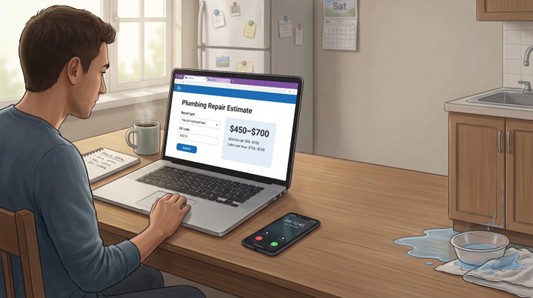
A Saturday leak creeps across the floor while you wait for a plumber’s price. Hourly rates swing from $45 to $200 nationwide, according to the HomeAdvisor plumbing cost guide, but will your quote sit in that sweet spot?
Cost-estimator tools answer instantly. Type the repair—burst pipe, toilet swap—and they convert raw price books into clear ranges so you can budget, negotiate, or DIY with confidence.
We road-tested more than a dozen plumbing repair cost estimator tools & calculators and narrowed the field to seven updated for 2026. Up next: our scoring method, punchy reviews, a comparison table, and a buyer’s guide that turns numbers into next steps.
How We Ranked the Tools
Before we name any winners, you deserve to see the yardstick. We built a seven-factor scorecard and ran each calculator through the same gauntlet so you can trust the results.
First came data freshness. A tool that reflects 2026 labor and material costs outranks one stuck in 2022 because a slick interface is useless if the numbers are stale.
Next came depth. Does the plumbing repair cost estimator tool & calculator cover everything from a leaky faucet to a whole-house repipe? Does it split labor from materials so you know where your money goes?
Usability followed close behind. We clicked, tapped, and fat-fingered on phones to see how fast a busy homeowner can get an answer. No one wants to fill out twenty fields while water drips through the ceiling.
Localization mattered, too. Calculators that let you enter a ZIP code or tweak hourly rates earned extra points. Regional price swings can turn a good estimate into a great one.
Transparency carried weight. We favored tools that cite data sources and skip aggressive lead-capture pop-ups. Trust is currency online.
The final two factors, free access and handy extras, tip the scales when core scores tie. A quick export button or a DIY difficulty flag can save real cash.
We rolled every metric into a 100-point scale. The ranking that follows rewards fresh data, clear detail, and homeowner-friendly design.
#1 PlumbingPriceGuide.com: Independent Accuracy You Can Localize
If you want one plumbing repair cost estimator tool & calculator that delivers both trust and precision, start here. PlumbingPriceGuide is run by data specialists, not a contractor network, and its constantly refreshed plumbing cost guide posts 2026 national ranges, $50–$150 for a basic service call and $75–$150 per labor hour, so the numbers read straight with no sly upsell in the fine print. The site states clearly that it has no financial relationship with service providers; it exists only to publish pricing research that keeps homeowners informed.
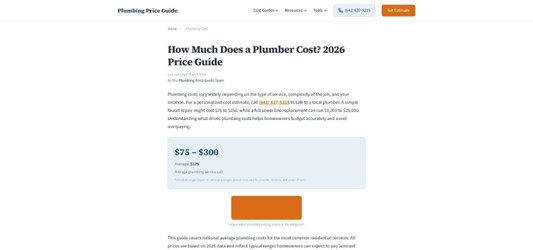
Choose your region and the calculator adjusts national averages to match your local labor market. Live on the West Coast? Expect a higher baseline. The Midwest? Watch the range dip. That regional dropdown matters because plumbing rates can swing 20 percent or more across the country, and a one-size-fits-all estimate can steer you wrong.
The data is fresh, stamped 2026 on the cost tables and service-call ranges. You see quick snapshots such as “Service call $50–$150” or “Tank water heater install $800–$2,500,” and one click reveals deeper breakdowns if you need them.
The interface stays fuss-free. Type your repair, scan the range, and you are done in under a minute. No email gate, no ten-field form. Need more context? Scroll for plain-language notes on why a job skews high or low plus links to city pages.
PlumbingPriceGuide tops our list because it gives you an up-to-date, location-aware number without asking for anything in return. Use it as your baseline before you pick up the phone; every other quote should have to defend itself against these figures.
#2 FieldCamp Calculator: One Dashboard, Every Fix
FieldCamp removes the guesswork from planning by letting you bundle multiple repairs into one clear estimate. Need a faucet swap, a drain snake, and a water-heater flush? Check three boxes and the total updates instantly.

The plumbing repair cost estimator tool relies on 2026 national averages, so you are not stuck with stale pricing. Each service line separates labor from materials, giving you a fast read on DIY potential. FieldCamp also shows a DIY column beside the pro cost. If the gap is fifty dollars, grab the wrench; if it is five hundred, call a plumber.
Toggle the emergency switch and labor climbs by the standard 1.5× after-hours multiplier. Seeing that surcharge in black and white often nudges homeowners to patch the problem temporarily and book regular hours; the calculator shows exactly what that patience saves.
Navigation stays simple. Categories line the top: Fixtures, Drains, Pipes, Water Heaters, Sewer/Septic, so you avoid scrolling through irrelevant tasks. Add or remove items with one click, then copy the summary into a note or text it to your contractor for a quick check.
FieldCamp lacks ZIP-code tuning, but the speed, breadth, and DIY view make it a strong second stop after you lock in a local baseline with PlumbingPriceGuide. Together they give your budget double coverage that keeps surprise invoices in check.
#3 HomePlumbing101 Estimator: Toggle-Driven Precision for Single Repairs
Sometimes one nagging issue needs answers, not a full project list. HomePlumbing101 handles that with three quick steps: pick the problem category, choose the exact repair, then turn on any real-world complications.
Those complication toggles are the secret sauce. Tap “after-hours,” “pipe inside wall,” or “water damage present” and watch the range climb in real time. It mirrors how plumbers price jobs: emergency labor runs 1.5 to 2 times standard rates, according to PlumbingPriceGuide. Seeing that jump on-screen shows which factors you can control; wait until Monday morning and you may cut the quote in half.
The data is stamped 2026 and still matches the quotes we spot-checked this year. For inflation-sensitive tasks like water-heater swaps add about ten percent, but for labor-heavy fixes the numbers stay solid.
Interface-wise, the plumbing repair cost estimator feels like a quick quiz. Bright icons guide you and the cost range updates instantly below, so you never lose context. A short table of common repairs sits underneath, helpful when you want to sanity-check a plumber’s figure without running the full wizard.
Use HomePlumbing101 when you need a focused estimate on one job and want to see how access, timing, or age of your home can swing the final bill. It serves as both insight and negotiation coach in a lightweight page.
#4 Tapform Calculator: Quick Hit or Deep Dive, Your Choice
Tapform is the Swiss Army knife of plumbing estimators. Open the page and two big buttons appear: Easy Mode and Advanced Mode. Easy is lightning fast. Pick a service type, set urgency, choose house or apartment, and in under ten seconds you see a crisp range plus a labor-versus-materials split.
Switch to Advanced and the tool reveals its inner workings. You can overwrite the hourly rate, enter the exact price of that faucet you already bought, or raise complexity if your 1920s bungalow throws surprises. It is ideal when you have a quote and want to check whether the numbers add up.
Tapform shows a range around the point estimate, a reminder that plumbing rarely lands on one perfect figure. Copy the summary with one click, useful for a text thread with your partner or for emailing a contractor to say, “Here is my target budget. Can we make it work?”
There is no ZIP field, so bump the labor rate if you live in a pricey metro. The adjustable fields in Advanced Mode make that fix easy. We rank Tapform as the rhythm keeper of the group: quick when you are in a rush, granular when you have a quote to inspect and room to negotiate.
#5 CostFlowAI Remodel Calculator: From New Rough-In to Full Renovation
Most plumbing repair cost estimator tools & calculators stop at single fixes, but remodels rarely respect those lines. CostFlowAI lets you price a brand-new bathroom with all its plumbing tasks in one pass. Enter the room size, choose a scope—Cosmetic, Mid-Range, or Full Remodel—and set fixture quality.
The scope method keeps budgets honest. Every fixture is listed, so you do not forget hidden plumbing costs. Switch from a basic vanity to a custom double sink and watch materials climb in real time; it is a quick lesson in how nicer parts, not just labor, can double a project.
Plumbing and tile sit on the same screen. Check your shower plan or floor choice and the estimator rolls those dollars into a single total. When you finish, share the breakdown with a contractor, partner, or spreadsheet. No login, no data stored.
CostFlowAI also offers ZIP-level tuning, so prices reflect your market without manual math. When you juggle several plumbing tasks or plan a renovation, no other tool pulls this many parts into one clear figure. Use it to reality-check the dream layout before demo day.
#6 HomeAdvisor Cost Guide: Big-Name Benchmark With a Lead-Gen Twist
Your first search for “plumber cost” often lands on HomeAdvisor. The page lists average prices for everything from slab-leak repairs to service calls. If you need a fast way to check a quote, a quick scroll works. You can also enter your ZIP code to pull the range closer to local reality.
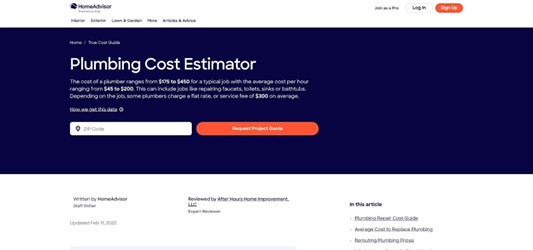
Keep the context in mind. HomeAdvisor funnels visitors toward its contractor network, so every cost box sits beside a “Get Quotes” button. Add your email and the calls start soon after. Real quotes beat online estimates, yet the site’s incentives lean toward hiring a pro, not DIY insight.
Data freshness is the other caveat. The plumbing guide’s last formal update was in 2022. Labor rates change slowly, but material prices and wages have climbed since then. Treat the numbers as a floor, then cross-check them against one of the 2026 calculators above for a ceiling.
Use HomeAdvisor as a big-brand baseline. It is quick, broad, and free. Pair it with a newer, independent tool before locking in a budget and think twice before sharing contact details if you are still in research mode.
#7 Homewyse Cost Calculator: ZIP-Level Detail One Task at a Time
Homewyse is the quiet workhorse of home-improvement math. The site hosts hundreds of plumbing repair cost estimator calculators, each focused on a single task. Type “install toilet” or “fix copper leak,” enter your ZIP code, and Homewyse returns a tight range that matches labor rates and material mark-ups in your county.
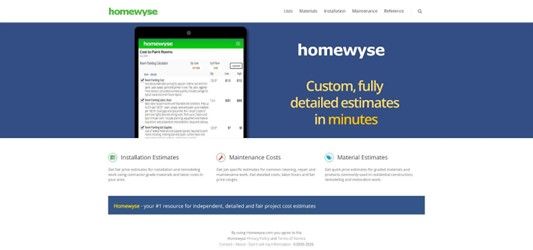
That ZIP filter is the key advantage. A faucet swap in Des Moines shows a different baseline than the same job in San Francisco because of higher wages, tougher code, and longer permit queues. The figures draw from trade-service price books refreshed each year, so while you will not see a bold “2026” stamp, the backend keeps pace with industry shifts.
The trade-off is scope. One task per search means that pricing three repairs requires three look-ups and a manual total. The interface feels closer to a spreadsheet than an app, yet the depth stands out: you can toggle quality grade, job complexity, and even add standard contractor overhead to preview a realistic bid.
Turn to Homewyse when pinpoint location accuracy matters more than multitasking. Pair it with FieldCamp’s bundle view: run each key task through Homewyse for localization, then let FieldCamp add them into one master budget. Together they bridge the final gap between national averages and the real-world bill you will sign.
Side-by-Side Snapshot: Which Tool Fits Your Situation?
You just read seven in-depth reviews. The table below lets you match a tool to the job in seconds.
| Tool | Best for | Data freshness | Local adjustment | Stand-out feature |
| PlumbingPriceGuide | First, fair baseline | 2026 | Yes (region) | Independence, no sales funnel |
| FieldCamp | Bundling multiple fixes | 2026 | Manual tweak | DIY vs. pro cost column |
| HomePlumbing101 | One repair with “what-ifs” | 2026 | No | Toggles for emergency or hidden pipes |
| Tapform | Quote sanity check on the fly | 2026 | Manual (Advanced Mode) | One-click switch between Easy and Advanced |
| CostFlowAI | Remodels and mixed projects | 2026 | Yes (ZIP) | Scope-based inputs plus export share |
| HomeAdvisor | Quick national averages | 2022 | Yes (ZIP) | Large database, instant pro leads |
| Homewyse | ZIP-code precision per task | 2026 backend | Yes (ZIP) | Granular inputs: quality grade, complexity, overhead |
Read the table like a flow chart. Need the fastest sanity check? Tapform’s Easy Mode wins. Planning a full bathroom renovation? CostFlowAI keeps every dollar in one subtotal. Looking for exact county rates on a single repair? Homewyse drills down where others cannot.
Next up is the buyer’s guide, where we turn these numbers into action steps before the next drip starts.
Buyer’s Guide: Turn Estimates into Real-World Savings
Great tools are only half the battle. How you use them decides whether you save a few dollars or a small fortune.
Start with two calculators, not one. Run the repair through PlumbingPriceGuide for a national-plus-region baseline, then cross-check it in FieldCamp or Tapform. When two independent sources land in the same range, you have a trustworthy target. If they differ widely, dig deeper; one of your inputs or a hidden job factor may be off.
Always read the range, not the midpoint. Online estimators speak in best-case to worst-case numbers. Scan the low end and ask, “Is my job truly picture-perfect?” If your pipes sit behind 90-year-old plaster, expect the upper half of the spread. Prefer certainty? Budget for the high number. Any quote under that feels like a win.
Localize aggressively. If a tool does not ask for your ZIP code or region, open Advanced Mode in Tapform or adjust the hourly rate manually. Check a city wage report or call one local plumber just to ask their basic rate. Plug that figure into the calculator and let it ripple through the total.
Add the extras many calculators skip. Permits, drywall repair, and disposal fees often sit outside the core estimate. If the job requires cutting walls or hauling away a rusty water heater, set aside an extra 10–15 percent. It is better to keep money than to scramble when the inspector shows up.
Use these insights when you phone pros. Instead of asking, “How much to fix a leak?” try, “I am seeing $450 to $700 for an in-wall copper repair with standard parts. Does that match your pricing?” This phrasing shows you have done homework and steers the conversation toward clear, itemized quotes.
Labor costs rise after hours, so timing matters. FieldCamp’s emergency toggle shows how a midnight call inflates the bill. If the repair is not flooding the house, shut off the water, drain the line, and book normal hours. The calculator shows exactly what that patience can save.
Conclusion
Treat these calculators as your estimator apprentice. Feed them honest details, read ranges conservatively, and carry the numbers into every quote conversation. That approach turns an online estimate into measurable savings at the end of the project.
Find a Home-Based Business to Start-Up >>> Hundreds of Business Listings.