










































Spec sheets for direct-to-garment printers read like they were written to confuse people on purpose. Resolution figures, platen dimensions, ink configurations, production speeds; it all starts blending together after the third product page. Most buyers fall into the trap of comparing raw numbers without understanding which ones genuinely affect their bottom line. This guide strips the process down to what matters. Rather than obsessing over every technical detail, it highlights the factors that separate a confident purchase from a costly mistake.
Start With Output Goals, Not Feature Lists
The biggest mistake buyers make is opening a product page before defining what they need. A small shop printing 50 custom tees per week operates on a completely different scale than a fulfillment operation handling 500 daily orders. Getting specific about volume, garment variety, and color expectations eliminates most of the noise right away.
With those priorities established, browsing DTG printers for sale becomes much simpler without Spec sheet confusion. A defined production target acts as a built-in filter, making it easy to skip features that look impressive but have no relevance to the actual workflow. That one mindset shift saves hours of aimless comparison and prevents spending on capacity that never gets used.
Resolution: How Much Detail Actually Matters
Dots per inch tends to dominate product listings, and higher numbers naturally catch attention. But on a cotton tee, the visible difference between 1200 and 1440 DPI is negligible to most end customers. Resolution becomes a real factor only with fine-art reproduction or photographic imagery printed on smooth substrates.
Match Resolution to Fabric Type
Ink behaves differently on coarse versus tight-weave materials. A machine delivering crisp 1440 DPI output on premium cotton may offer no visible improvement over 720 DPI on a standard poly-blend. Requesting sample prints on the garments a shop uses most often tells far more than any number on a spec sheet.
Print Speed Versus Real-World Throughput
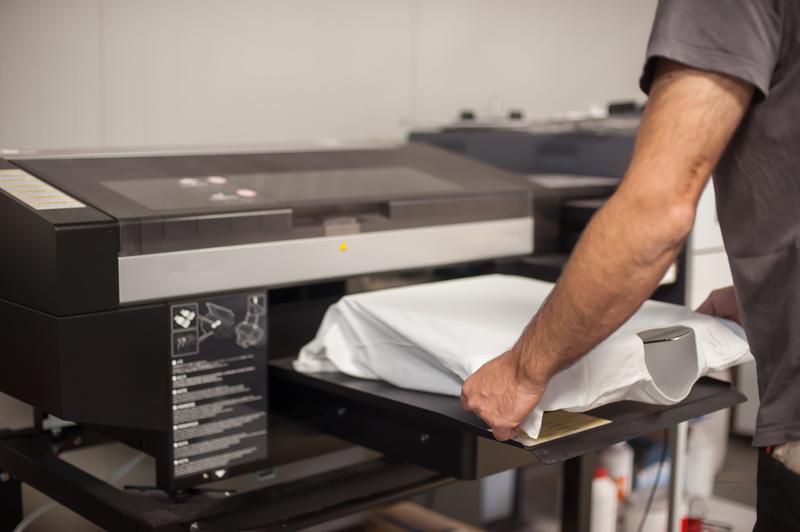
Speed ratings on manufacturer pages almost always reflect ideal conditions, typically a single pass on optimized settings. Those figures rarely account for pre-treatment drying, platen loading, file prep, and curing. Each step adds minutes that accumulate fast across a full production day.
Calculate Full Cycle Time
A better approach involves timing the entire process from blank garment to finished piece. Buyers attending trade shows or scheduling demos should bring their own art files and fabrics. Measuring that complete cycle makes it clear whether a machine can realistically meet daily quotas without pushing into overtime or requiring a second unit.
Ink System and Operating Costs
The purchase price only tells half the story. Ink consumption per print, cartridge versus bulk-tank pricing, and white-ink maintenance schedules all shape long-term profitability. Certain systems feature recirculating white ink technology that minimizes waste, while others demand frequent head cleaning routines that eat through supplies quickly.
Ask for Cost-Per-Print Estimates
Any reputable seller offering DTG printers for sale without spec sheet confusion should be willing to share realistic per-garment ink cost figures. Comparing those numbers across models reveals the true balance between upfront investment and ongoing expense. A budget-friendly printer paired with costly consumables can easily outspend a pricier unit that uses ink efficiently, especially over a two-year window.
Platen Size and Versatility
Platen dimensions dictate which garment sizes and product categories a printer can accommodate. A standard adult tee platen covers most apparel work, but shops offering tote bags, sleeve prints, or youth sizes will need interchangeable options.
It pays to check whether extra platens come bundled or require separate purchases. Some manufacturers include multiple sizes in the base package, while others charge a premium for each additional accessory.
Software Compatibility and Workflow Integration
RIP software handles color management, ink layering, and file processing, so a clunky interface slows production just as effectively as a slow print head. During demos, buyers should pay close attention to how the software manages color profiles, white ink underbase settings, and job queuing.
Compatibility with existing design applications deserves equal scrutiny. Smooth file transfer from graphic design tools to the RIP station eliminates the small bottlenecks that compound over a full shift.
Support and Warranty Terms
After-sale support quality varies dramatically between manufacturers and resellers. Buyers should ask pointed questions about response times, on-site repair options, and warranty terms for print heads, often the single most expensive component to replace.
Owner reviews offer a perspective no sales brochure can match. Industry forums and online communities regularly share honest feedback on which brands provide reliable support and which leave customers stranded during critical production downtime.
Conclusion
A solid evaluation process for choosing DTG printers for sale without spec sheet confusion does not require memorizing every line on a data sheet. Narrowing the focus to production goals, true throughput, ink expenses, and after-purchase support clears away most of the confusion. Sample prints on real garments reveal more than any brochure figure ever could. Buyers who test equipment under real conditions and calculate actual operating costs will land on a printer built for their business, not just their initial budget.
Find a Home-Based Business to Start-Up >>> Hundreds of Business Listings.