









































This guide is for you if you study, work, or simply need to manage digital documents. Over 82% of all businesses use PDF as their primary document format. It lets them store essential data that one can hardly change without access or specific editing tools. Such files are easy to control, as you can add textual and visual information and be sure it will remain the way you pasted or created it.
PDF files remain unchanged when shared online, unlike Word files. Besides, they can be protected from editing and copying. However, you cannot change or create a new PDF file without a converter or PDF editor. PDF Guru belongs to the top editors in 2025. If you use it at work or for studies, get acquainted with this fair PDF Guru review.
What Tools Does PDF Guru Offer?
This software is for those who like to have all the required tools. It offers all the needed services to improve the expected user experience. Let’s discuss its offers in more detail.
Edit and Sign
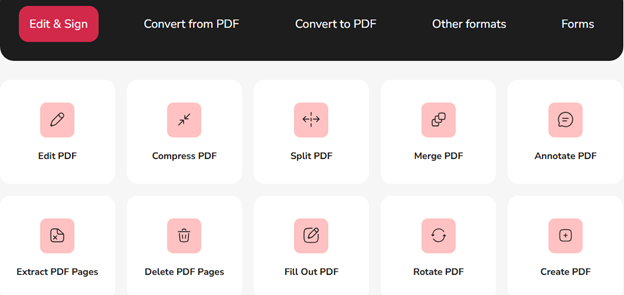
When visiting the official website, you will see that the first tool is concerned with editing and signing. This tool is one of the most significant, as it allows you to:
- Edit your PDF document (change, add, or delete parts).
- Rotate your document if you need to get a different angle of the image, photo, etc.
- Annotate PDFs, which is extremely popular among writers and researchers.
- Compress the document to make it lighter for online distribution.
- Split the file into several smaller documents.
- Create PDF from scratch without the need for conversion.
- Delete the unnecessary pages.
- Merge several PDF pages and documents.
- Extract the page you need.
- Fill out the PDF forms without printing and scanning them.
- Organize all pages the way you like.
- Make your PDF editable with the OCR conversion.
- Summarize your lengthy document to learn the most essential information.
- Protect the file with your password.
- Sign your document online to verify its validity and authenticity.
Another notable feature is that its summarizer has an AI PDF reader and chat. With their help, you can get a precise summary and simplify it, rephrase some parts you dislike, translate, and even request the keyword list, which is great for SEO content creation.
Convert From or to PDF
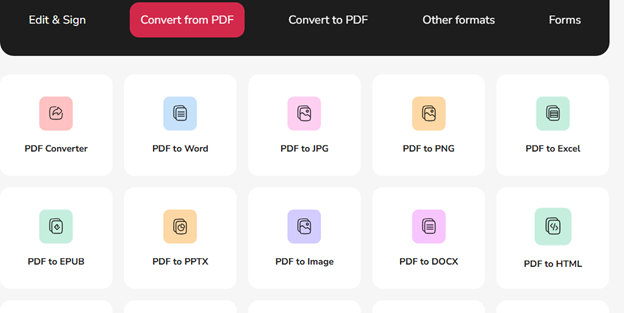
This tool is a must-have in the modern world. Companies, organizations, and various establishments manage different types of files. Even an average user can face difficulties downloading a book for an e-book reader or uploading something on a platform that accepts only certain formats.
PDF converter offers many types of formats to convert a file from and to PDF. The most requested conversions today deal with such formats as:
- Word
- EPUB
- SVG
- PNG
- CSV
- PPTX
- Excel
- HTML
- JPG, etc.
As you can see, this software can convert both textual and visual information.
Other Conversions
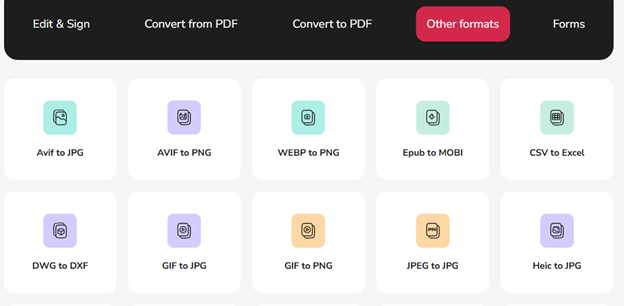
One of the most surprising options of PDF Guru is that it can convert from or to PDF and handle non-PDF formats.
For example, you can convert GIFs to JPGs or EPUBs to MOBIs. There are lots of options for different needs.
Forms
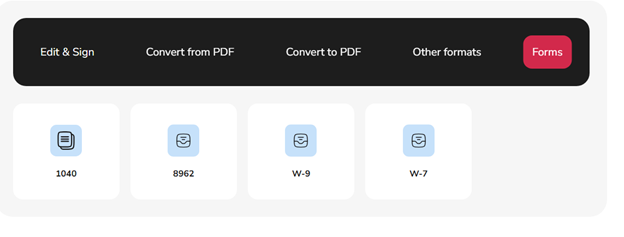
Finally, PDF Guru has forms you can fill out for medical purposes, health insurance, taxes, or military issues.
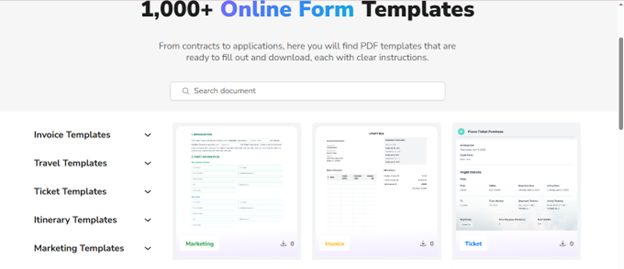
What is more, it also has over 1000 templates that you can edit to adjust them to your personal needs. These are booking, utility, proposal, and plane ticket examples that are easy to download or store on your personal PDF account.
How to Use PDF Guru Services?
One of the indisputable advantages of the tool is that you can use it on any device and from anywhere. There’s no need to download or install anything, saving your device space. Everything you need is to visit the official website, subscribe, choose the required plan, log in, and select the tool you currently need. All the documents are saved on your personal account storage. Only you will have access to them, so no one can copy or edit them.
Is PDF Guru Safe?
As the tool is online, many users are concerned about its safety. However, there is nothing to worry about. Currently, the software has over 9.3 million edits recorded, indicating extensive user activity and a long operational history. This means PDF Guru has solid experience providing editing services in the market.
Furthermore, it adheres to the General Data Protection Regulation, which is vital for the European market rules concerning the safety of online users. The software is certified and has earned the trust of reputable organizations and clients globally.
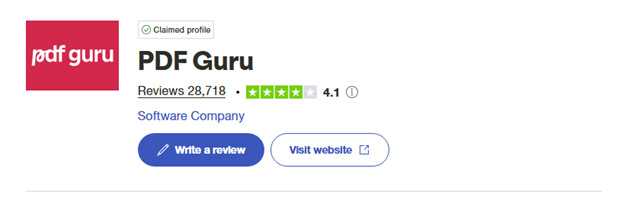
You can find thousands of positive PDF Guru reviews on various review sites like Trustpilot.
To promise the demanded security measures, PDF Guru employs:
- SSL certificate
- Server-side encryption
- Advanced Encryption Standard
Google has verified the site and meets modern security standards.
Now, a Fly in the Ointment
A fair PDF Guru review must present the truth and nothing but the truth about this editing tool. Regarding the cons, PDF Guru does not offer free services. Besides, you need to go to the contact section to ask a question, as the live chat is not available as a pop-up option. PDF Guru also doesn’t offer bulk conversion.
Takeaways
PDF Guru has clients from over 180 countries and a 4.1/5 rating on Trustpilot, so it can be trusted. Instead of reading other reviews, you should test the editing tool yourself to see if it is worth using.
Find a Home-Based Business to Start-Up >>> Hundreds of Business Listings.