











































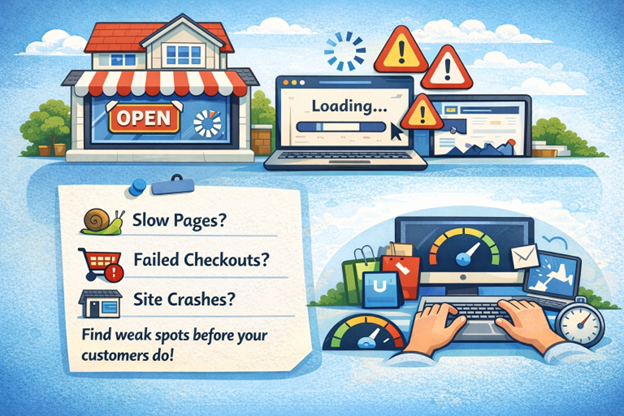
Your website may be the front door to your home business, but if it can’t handle visitors smoothly, you risk losing customers before they even get in. Many small business owners don’t realize their sites hit performance bottlenecks until it’s too late—slow pages, failed checkouts, or crashes during a marketing push. A load testing guide uncovers these weak points by simulating real-world traffic, ensuring your business can scale reliably. Here’s the reality behind that: load testing isn’t just for big enterprise apps; it’s a practical necessity for any website expecting traffic, no matter the size.
This load testing guide dives into what load testing means specifically for home and small businesses, detailing how you can design simple, realistic tests without needing a degree in software engineering. By the end, you’ll understand core metrics, know which tools fit your technical skill level, and learn how to interpret results to make your website faster and more reliable. We also cover workflows to integrate load testing into your ongoing maintenance, so performance issues don’t sneak up on you.
What Is Load Testing and Why It Matters for Small Businesses
Load testing is a method of putting your website or application under simulated user traffic to see how it handles demand. For small and home businesses, it ensures your site won’t buckle when visitors increase—like during promotions or seasonal peaks. Instead of waiting for real users to experience issues, load testing reveals problems before they affect customers.
Imagine your site crashes during a crucial product launch or payment gateway slows to a crawl when a batch of customers checks out simultaneously. This leads to lost sales, frustrated users, and damaged reputation—risks that aren’t just relevant to giants but can cripple a small business. Load testing helps you find stability issues, measure how many users your system can comfortably handle, and improve user experience.
Small businesses often overlook this because they have limited IT resources or technical expertise. But without testing, even modest spikes in traffic can cause downtime or poor performance, directly hitting revenue and growth prospects. Load testing acts as a preventative step that ensures your digital storefront is as reliable as your physical one.
How Load Testing Works and Different Testing Types
At its core, load testing simulates multiple users accessing your website concurrently to measure how the system performs under stress. You generate virtual users that interact with your site’s functionalities—like browsing products, adding items to carts, or submitting forms—to mimic peak demand.
Types of Load Testing Scenarios for Small Business Websites
Imagine you’re preparing for a holiday sale promotion on a small e-commerce site. Load testing scenarios here might include:
- Simulating a steady flow of visitors over several hours
- Handling short bursts of heavy traffic during flash sales
- Testing concurrent checkout processes to ensure the payment system holds up
For home businesses running online stores, ecommerce website load testing is especially important because revenue depends on how well product pages, carts, and checkout flows perform under real buying pressure. Simulating multiple shoppers browsing products, adding items to carts, and completing payments at the same time helps uncover issues that only appear during peak demand. Dedicated ecommerce website load testing focuses on these revenue critical paths, ensuring promotions, seasonal traffic spikes, and marketing campaigns do not overwhelm your store when it matters most.
These scenarios help pinpoint if and where your website struggles under realistic conditions tied to your business calendar.
Simulating User Traffic and Realistic Workloads
Realistic testing means creating user journeys that represent typical behaviors rather than just bombarding the homepage. For example, a visitor might start on the homepage, navigate to product pages, add items to carts, then proceed to checkout. Reflecting these paths in tests offers more actionable insights than simple request floods.
This load testing guide encourages simple tools help you design these user flows without scripting expertise, often providing templates suited for small business patterns—shopping carts, content browsing, or form submissions. Doing this ensures your load tests measure the real-world impact on your site’s critical features rather than superficial metrics.
Designing a Simple Load Test Plan for Beginners
Planning might sound complex, but a straightforward approach matched to your business needs can save you time and headaches.
Setting Realistic Test Scenarios Based on Business Objectives
Start by outlining your typical and peak traffic expectations. For a home business, this might be:
- Average daily visitors (e.g., 50-100)
- Peak traffic during promotional emails (e.g., 200-300 concurrent users)
- Critical user actions needing flawless performance (checkout, contact forms)
This helps you focus tests on relevant user volumes and key site functionalities. Over-testing with unrealistic numbers wastes resources and can muddy your understanding.
Load Testing Guide: Key Performance Metrics to Monitor During Tests
During load testing, focus on:
- Response time: How long your site takes to respond to user actions
- Throughput: Number of requests your site handles per second
- Latency: Delay between sending a user request and receiving a response
- Error rate: Percentage of requests failing (timeouts, server errors)
These metrics highlight bottlenecks and user experience impacts. For example, rising response times beyond 3 seconds typically frustrate users and increase bounce rates.
Tools and Techniques for Load Testing Suitable for Non-Technical Users
Many small business owners hesitate to load test because they think it requires heavy technical skills or costly tools. Thankfully, there are beginner-friendly options.
Guidelines for Selecting Appropriate Load Testing Tools
When choosing a tool, consider from this load testing guide:
- Ease of use: Does it offer graphical interfaces or templates?
- Skill requirements: Is coding necessary or is scripting optional?
- Cost and scalability: Can it run tests within your budget and infrastructure?
- Hosting options: Cloud-based tools avoid taxing your hardware but may have limitations.
Free or low-cost options often provide enough functionality for basic home business needs.
Monitoring Server Response Times and Handling Limited Hardware Resources
Many home setups have limited hardware and bandwidth. To get accurate load test results:
- Use cloud-based load generators to simulate traffic externally
- Avoid running tests on the same machine hosting your website to prevent resource contention
- Schedule tests during off-peak hours to minimize interference
- Monitor server metrics (CPU, memory) alongside load test reports for comprehensive performance views
This ensures your small-scale environment accurately reflects real user experience under load.
Step-by-Step Guide to Running Load Tests on Home Business Websites
Running a load test involves a few clear steps you can follow without advanced coding.
Customizing Load Test Scripts for Small-Scale Applications
Start by defining the user journey you want to simulate, such as browsing products and purchasing. With user-friendly tools, create actions through record-and-playback interfaces or lightweight scripting.
Avoid overly complex scenarios at first—focus on critical user interactions to keep tests manageable. Verify scripts with small test runs before larger simulations.
Troubleshooting Common Issues During Load Testing
You might encounter:
- Test errors: Due to poorly scripted user flows or network drops
- Inaccurate results: If test machines share resources with the target server
- Unexpected slowdowns: When server resources aren’t sufficient
Address these by iterating your scripts, isolating load generators from servers, and gradually increasing user counts. Keeping logs and error reports handy helps pinpoint issues quickly.
Interpreting Load Testing Results to Optimize Website Performance
Running tests is just half the story when it comes to this load testing guide. Making sense of results guides meaningful improvements.
Understanding Performance Bottlenecks Through Load Testing Data
High response times combined with increasing error rates often indicate server capacity or configuration issues, such as limited database connections or CPU constraints.
For example, if performance degrades sharply when user counts exceed 100, your hosting plan or backend code might need optimization to support growth.
Performance Benchmarking and Capacity Planning
Use load testing data as a baseline against benchmarks relevant to your industry or similar-sized businesses. This comparison helps:
- Gauge if your site meets customer expectations
- Plan infrastructure upgrades before hits overwhelm capacity
- Decide when to scale resources or optimize apps
Capacity planning based on real test numbers avoids costly over- or under-provisioning.
Integrating Load Testing into Quality Assurance and DevOps Workflows
Load testing isn’t a one-time task. Embedding it into your QA and DevOps processes keeps your site reliable as it evolves.
Automated Load Testing Best Practices for Beginners
Start by automating simple tests to run regularly—after updates or code changes—to catch regressions early. Tools that integrate with continuous integration (CI) pipelines enable tests to trigger automatically.
Iterative testing helps identify performance trends and ensures you aren’t degrading site speed inadvertently during development cycles.
Combining Load Testing with Security and Functional Testing Strategies
Load tests degrade performance but do not guarantee security or functional correctness. Combining load testing with other QA types—like security scans and usability tests—gives comprehensive quality assurance.
For home businesses, this means ensuring your online store not only handles traffic but also processes data securely and functions as intended, especially under heavy use.
Future Trends and Innovations in Load Testing for Small Businesses
Emerging cloud-based platforms offer more accessible load testing with AI-driven scenario creation and real-user monitoring integrations. These tools simplify realistic traffic simulation without scripting and provide deeper insights with less technical overhead.
As small businesses increasingly rely on digital presence, these innovative options will make load testing easier and more precise, further leveling the playing field.
Conclusion
Understanding load testing is crucial for home and small business owners aiming to maintain reliable and scalable websites. Key takeaways include recognizing load testing’s role in simulating real user traffic, designing practical test plans aligned with business objectives, and monitoring critical metrics like response time and error rates. Embracing accessible tools and incorporating load testing into your development and QA workflows helps prevent performance failures that could hurt customer experience and business growth.
As web technologies and customer expectations evolve, continuous performance assessment will become even more integral to sustaining online success. Small businesses equipped with load testing knowledge and practices can confidently scale their digital storefronts, ensuring smooth user experiences even under increasing demand. For those managing home business websites, this foundational expertise empowers smarter capacity planning and performance optimization, making it an ideal business home opportunity for entrepreneurs looking to leverage digital platforms effectively.
Find a Home-Based Business to Start-Up >>> Hundreds of Business Listings.


